
Graphical User Interface#
With the graphical user interface, MooViE can be easily configured, results displayed and intermediate states saved. Its functionality is roughly explained in the following:
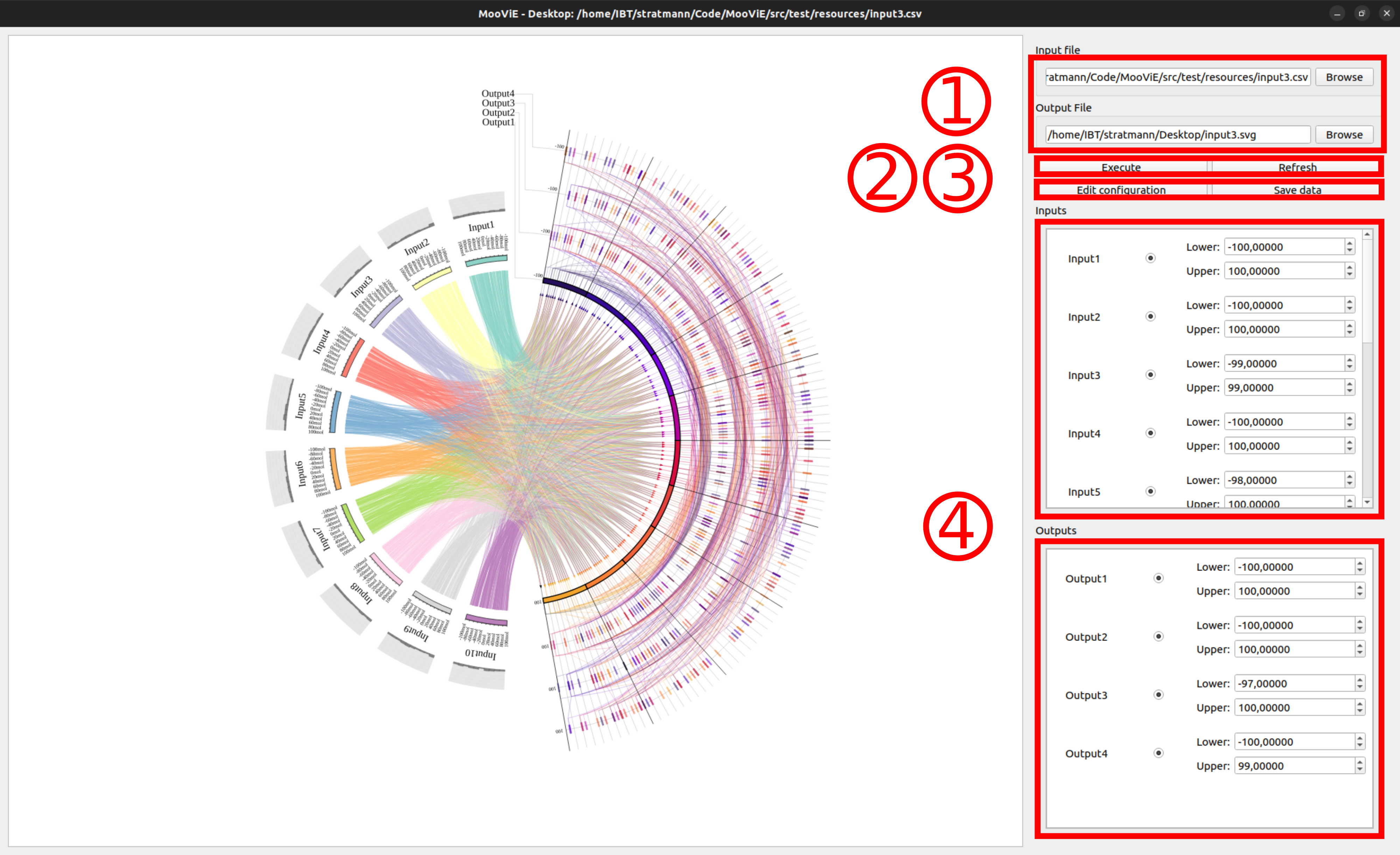
(1) In order to render a MooViE scene, an input file and an output file need to be specified. (2) The rendering process can then be executed. Also, the data table can be reloaded later. (3) To change the visual appearance of the scene, the configuration can be edited. Modified data sheets can be saved. (4) By using the column control section, the way how and what data is displayed can be controlled. Inputs and outputs can be enabled/disabled by a toggle button and new variable boundaries can be entered. The order of columns can also be changed by drag-and-drop.
The configuration dialog simplifies editing the configuration for the MooViE scene. Configurations also be saved to a file for later and loaded from a file directly into the current scene.
An explanation of the options is available in the section Configuration.
